
How to Test Drive a Tattoo Idea Before Committing Permanently
Getting a tattoo is a thrilling decision, but the permanence of ink can be intimidating. Whether it’s your first piece or your tenth, the anxiety of "What if I hate it in a month?" or "Is this the right size?" is a real hurdle. You might have a folder full of screenshots, but imagining how a flat image wraps around your arm or fits on your ribs is difficult.
You shouldn't have to rely on imagination alone. Tatspark eliminates the guesswork by acting as your personal AI Tattoo Design Agent. Instead of just generating static images, Tatspark allows you to Create unique designs from your stories, Remix existing photos, and most importantly, use 3D Virtual Try-On to see exactly how the tattoo looks on your actual body before a needle ever touches your skin.
With Tatspark, you don't need to be an artist or a prompt engineer. You simply describe your idea in natural language—like you’re talking to a friend—and our Agent handles the technical details, generating professional designs and realistic previews instantly.

Start Designing Now
Stop guessing and start visualizing. Test your tattoo ideas on your own skin instantly.
Start designing with Tatspark →How to Use These Examples
This page provides real-world scenarios to help you test your tattoo concepts safely. Here is how to use them:
- 1 Find your scenario below (e.g., checking size, testing a style, or visualizing a feeling).
- 2 Copy the "Natural Language Input" provided in the example.
- 3 Paste it into Tatspark. Our AI Agent will automatically expand this into a professional design prompt.
- 4 Use the 3D Virtual Try-On feature to apply the generated design to your photo.
- 5 Export the Stencil if you are ready to take the design to a real artist.
Note: You don't need complex code. Just tell Tatspark what you want, and let the Agent do the rest.
The "First Timer" Size & Placement Check
User Context
You want your first tattoo to be meaningful but subtle. You are worried that it might look too big on your wrist or that the lines won't look right on skin. You need to test the scale and placement before committing.
What Tatspark Does
Generates a clean, minimalist design and uses 3D Virtual Try-On to wrap the image around the curvature of your wrist, showing you exactly how much space it occupies.
Example Natural Language Input
"I want a small, fine-line wildflower for my inner wrist. It should be delicate and not too dark. I want to see if it fits without looking cluttered."
Advanced Prompt Logic (Behind the Scenes)
Role: Professional Tattoo Consultant & Minimalist Artist.
Context: User is a first-time client anxious about size and permanence.
Goal: Create a delicate, non-intimidating design for the inner wrist.

Instructions:
1. Concept: Wildflower (Cosmos/Lavender), Single needle, Vertical composition.
2. UX Focus: Emphasize "Breathability" (negative space). Use "3D Virtual Try-On".

English Prompt for Tatspark:
"Minimalist single needle wildflower tattoo design, cosmos flower, fine lines, clean white background, high contrast, vertical composition, suitable for inner wrist placement, tattoo flash style --ar 2:3"
Visualizing Abstract Concepts
User Context
You have a strong feeling or a personal meaning (like "strength" or "freedom") but no visual reference. You can't picture how an abstract idea translates into a cool tattoo.
What Tatspark Does
The Create feature turns emotions into visuals. It suggests styles (like Geometric or Neo-Traditional) that suit the theme, then lets you verify the "cool factor" with a temporary preview.
Example Natural Language Input
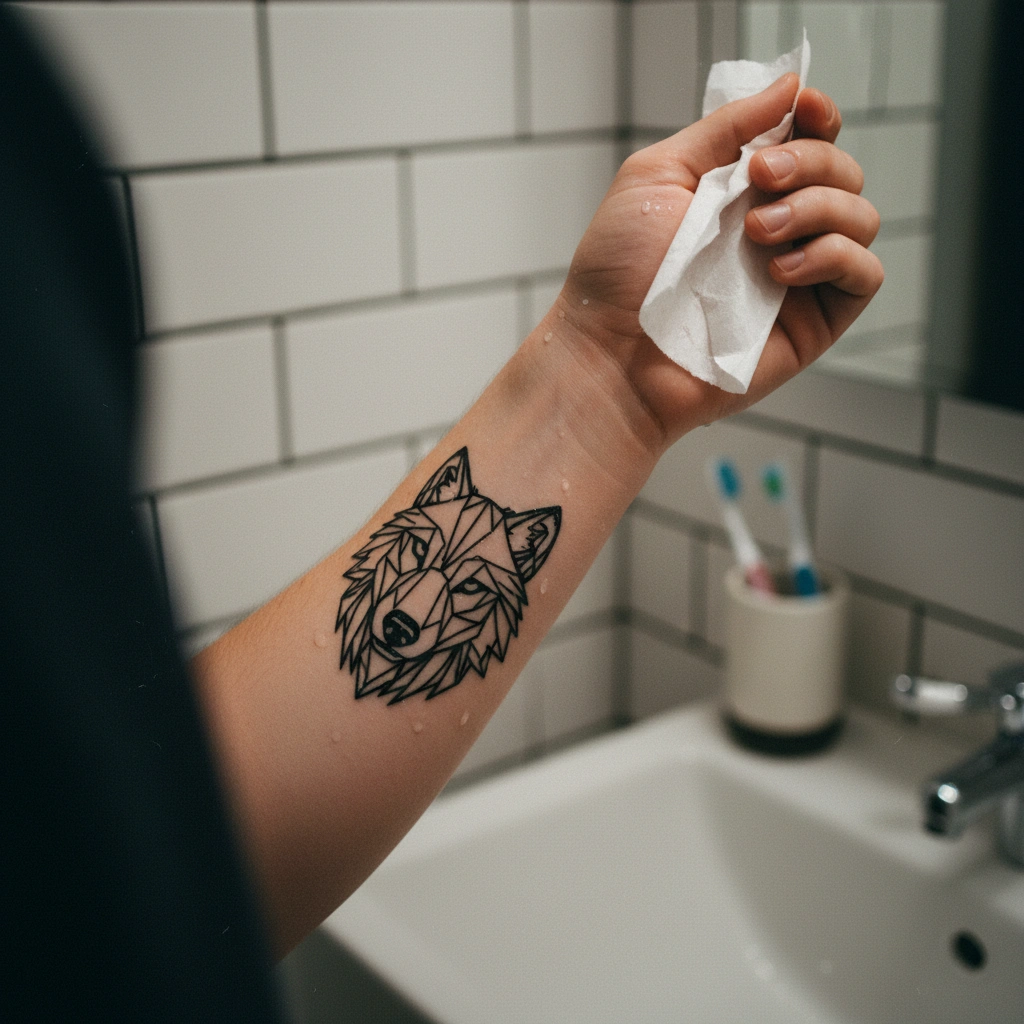
"I want a tattoo that represents 'freedom' and 'strength' using a wolf, but in a modern geometric style. I want to see how it looks on my forearm."
Advanced Prompt Logic (Behind the Scenes)
Role: Abstract Tattoo Designer & Symbolism Expert.
Context: User has a thematic concept ("Freedom/Strength") but lacks visual direction.
Goal: Translate abstract keywords into a concrete geometric design.

Instructions:
1. Concept: Wolf head profile merging with geometric shapes (triangles/polygons).
2. UX Focus: Use "Create" module for variants. Check line density via "Mockup".

English Prompt for Tatspark:
"Geometric wolf head tattoo design, sacred geometry elements, sharp black lines, stippling shading, modern blackwork style, isolated on white background, high contrast for stencil conversion --ar 1:1"
The "Social Proof" & AR Preview
User Context
You think you like a design, but you want to see it through a camera lens—how it looks to others in real life. You want to take a photo of the "tattoo" on your body to ask friends for opinions.
What Tatspark Does
Uses Augmented Reality (AR) / Mockup features to superimpose the tattoo on your body in real-time. It adjusts for lighting and skin texture so the preview looks authentic.
Example Natural Language Input
"Show me a traditional snake tattoo wrapping around my shoulder. I want to take a picture of it on my arm to show my friends."

Advanced Prompt Logic (Behind the Scenes)
Role: American Traditional Tattoo Artist.
Context: User seeks social validation and realistic visualization.
Goal: Create a bold, readable design that tracks well in AR.

Instructions:
1. Concept: Coiled Snake. American Traditional (Old School).
2. UX Focus: Use "3D Virtual Try-On" for correct wrapping. Emphasize "Readability".

English Prompt for Tatspark:
"American traditional snake tattoo design, bold black outlines, limited color palette red and green and yellow, fierce expression, old school tattoo flash, clean white background --ar 1:1"
The "Technical Test" (Stencil & Rib Placement)
User Context
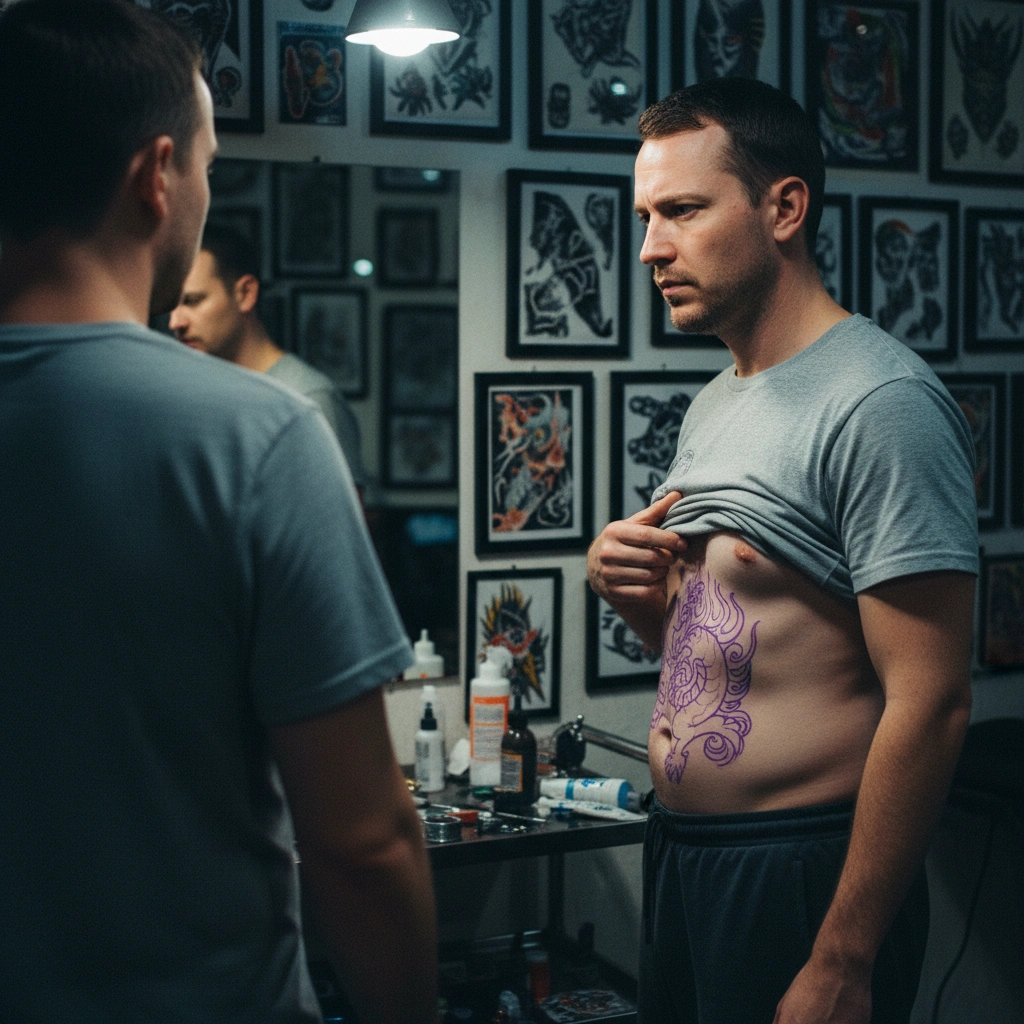
You are ready to commit, but you are worried about the pain and the technical feasibility of a rib tattoo. You need to see if the design flows with your ribcage and if the lines are clean enough for a stencil.
What Tatspark Does
The Stencil feature converts the design into a line drawing that a tattoo artist can actually use. The Try-On feature checks if the design follows the body's natural curves (flow).
Example Natural Language Input
"I want a vertical script or floral piece for my ribs. Please convert it to a stencil so I can see if the lines are too messy."
Advanced Prompt Logic (Behind the Scenes)
Role: Technical Tattoo Artist & Stencil Specialist.
Context: User is validating technical feasibility for a difficult placement (Ribs).
Goal: Ensure design flow and extract a clean stencil.

Instructions:
1. Concept: Vertical floral branch. Illustrative Blackwork.
2. UX Focus: Use "Stencil" to isolate lines. Use "3D Try-On" to check distortion.

English Prompt for Tatspark:
"Vertical floral branch tattoo design, flowy composition, black ink illustration, clean lines, suitable for rib placement, isolated on white background, high contrast, ready for stencil conversion --ar 2:3"
Conclusion
Testing a tattoo idea doesn't have to mean drawing on yourself with a pen or risking permanent regret. Whether you are stuck on the concept or just need to see the placement, Tatspark bridges the gap between your imagination and reality.
By using natural language to drive our AI, you can generate, refine, and virtually wear your tattoo in minutes. Once you are happy with the preview, use the Stencil and Extract tools to give your tattoo artist exactly what they need to get started.